How to Create an Augmented Reality QR Code (2026 Guide)
Andrei Zhizdra — Founder, Stories AR
Quick answer
To create an augmented reality QR code: upload your photo and a video to a WebAR platform like Stories AR, and it generates a QR code linked to the AR experience. When someone scans the code with their phone camera, the video plays on top of the printed image in augmented reality — no app installation required. The whole process takes about 5 minutes and works on any iPhone or Android browser.
Key takeaways
- An AR QR code links a printed object to an augmented reality experience — scan it and content comes alive on screen.
- WebAR platforms removed the biggest barrier: viewers no longer need to install an app, everything runs in the browser.
- With Stories AR you upload a photo + video and get a ready QR code in about 5 minutes, no coding involved.
- Top use cases: business cards, product packaging, event invitations, photo albums, museum labels and real-estate flyers.
- You can swap the linked video at any time without reprinting the QR code — one print, unlimited campaigns.
QR codes are the fastest bridge between print and augmented reality: scan a code — and a photo, poster or package comes alive with video. In 2026 you no longer need developers or SDKs to build this. In this updated guide by Stories AR, we show how to create your own augmented reality QR code in about five minutes, compare the main platforms, and share the use cases that actually convert.
Stories AR is now the largest living-photo service: over 62,000 photographers use it, and more than 259,000 AR photos have been created.
The numbers behind the trend: interacting with products in AR drives a 94% higher conversion rate (Deloitte × Snap), and eMarketer counts over 100 million QR code scanners in the US alone — the scan habit is now universal.
What is an augmented reality QR code?
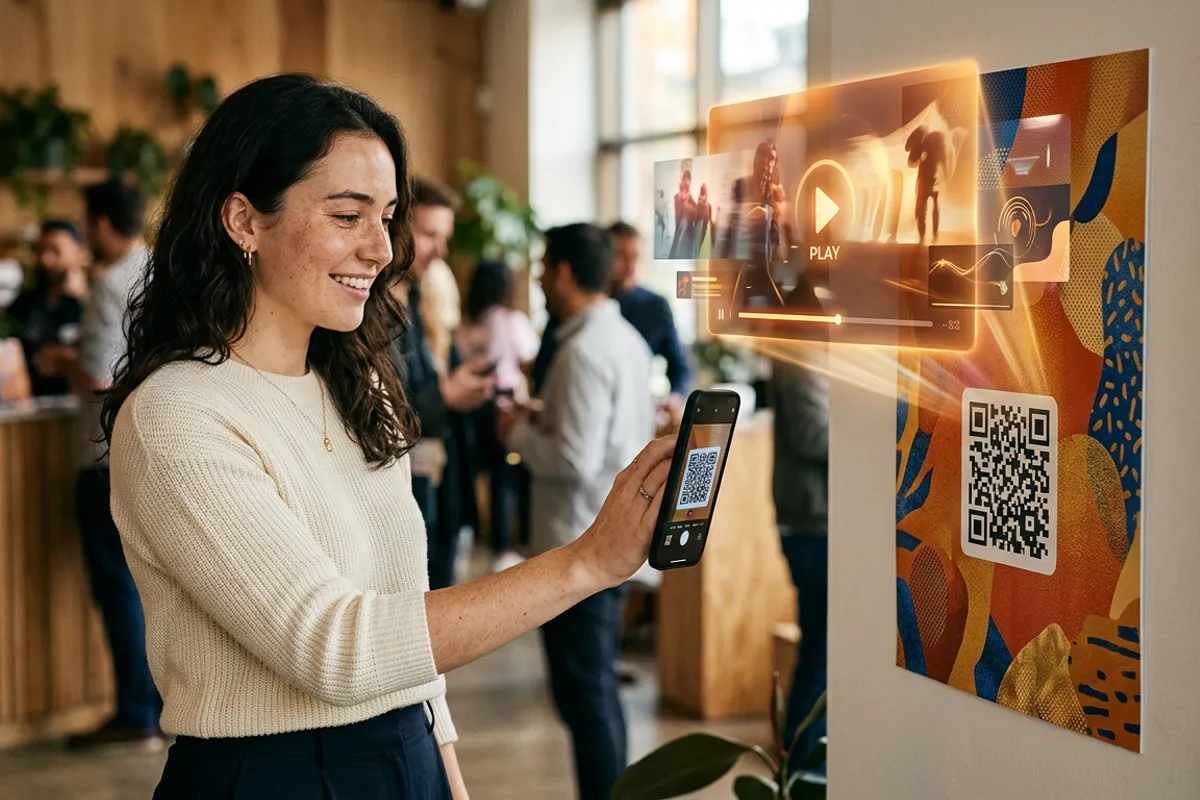
It is a standard QR code that launches an AR experience instead of a plain link. The viewer scans it with their phone camera, the browser opens a WebAR scene, and digital content — usually a video — appears anchored on top of the printed image. The printed photo literally starts moving in the viewer's hands. That effect is called a living photo.

Choose your platform: quick comparison
| Platform | Best for | Coding needed | Viewer app |
|---|---|---|---|
| Stories AR | Living photos: print + video in minutes | No | No — browser |
| ZapWorks | Complex branded AR scenes | Low-code | No — browser |
| 8th Wall | Custom WebAR development | Yes (JS) | No — browser |
| Unity + Vuforia | AR inside your own mobile app | Yes (C#) | Yes |
If your goal is to make printed photos, cards or packaging play video, a no-code tool is the rational choice: what takes minutes in Stories AR takes days in Unity.
Step-by-step: create an AR QR code in 5 minutes
- Upload your image. Sign up at stories-ar.com and add the photo you are going to print — a portrait, product shot, invitation design or album page;
- Attach the video. This is what will play in AR: a greeting, a behind-the-scenes clip, a product demo. Vertical or matching-aspect video looks best anchored over the print;
- Get your QR code. The platform links the pair and generates a QR code plus a scannable image target;
- Print and test. Place the code on the card, sticker or poster, scan it with a phone camera — the video plays on top of the image in the browser, no app needed.
Bonus: the video is swappable. Replace it in your dashboard any time — the printed QR code stays the same, so seasonal campaigns don't require reprints.
Where AR QR codes work best
- Business cards. A card that plays a personal video introduction is remembered long after a plain one is discarded;
- Product packaging. Show how the product is made, brewed or styled right on the box;
- Wedding invitations and albums. Photographers attach film-like moments to printed photos — the album comes alive page by page;
- Events and posters. A concert poster that plays the trailer sells tickets better than static art;
- Museums and education. Labels and textbooks that explain themselves by video;
- Real estate. Flyers that launch a video tour of the property.
Tips for higher scan rates
- Add a short call to action next to the code — “Scan to see it come alive” lifts scans dramatically;
- Keep the code at least 2×2 cm in print and leave a quiet margin around it;
- Test on both iPhone and Android before mass printing;
- Keep videos under 60 seconds — short clips load fast and hold attention;
- Track scans: platform analytics show how many people activated your AR experience.
The bottom line
Creating an augmented reality QR code in 2026 requires no technical skills: upload a photo and a video, print the generated code, and any smartphone becomes a window into your AR experience. Start with the free Stories AR plan — your first living photo with a QR code takes about five minutes.
Frequently asked questions
Do people need an app to scan an AR QR code?+
No. Modern WebAR platforms like Stories AR run the experience directly in the phone browser. The viewer scans the code with the standard camera app on iPhone or Android, and the AR content plays immediately.
How much does it cost to create an AR QR code?+
Stories AR offers a free plan to create your first living photo with a QR code. Paid plans unlock more uploads, custom branding and analytics. Enterprise AR platforms like 8th Wall or ZapWorks charge from tens to hundreds of dollars per month.
Can I change the AR content after printing the QR code?+
Yes — this is the key advantage. The QR code points to your cloud content, so you can replace the video at any time without reprinting anything. One printed code can run seasonal campaigns all year.
What is the difference between a regular QR code and an AR QR code?+
A regular QR code opens a link — a website or a plain video page. An AR QR code launches an augmented reality scene: the video appears anchored on top of the printed photo or object, creating a “living photo” effect.
Does WebAR work on older phones?+
WebAR runs on virtually every smartphone released since about 2017 — it only needs a camera and a modern browser (Safari or Chrome). No AR framework or app support is required from the device.