Baby's First Year Photo Book That Plays Video
Stories AR team
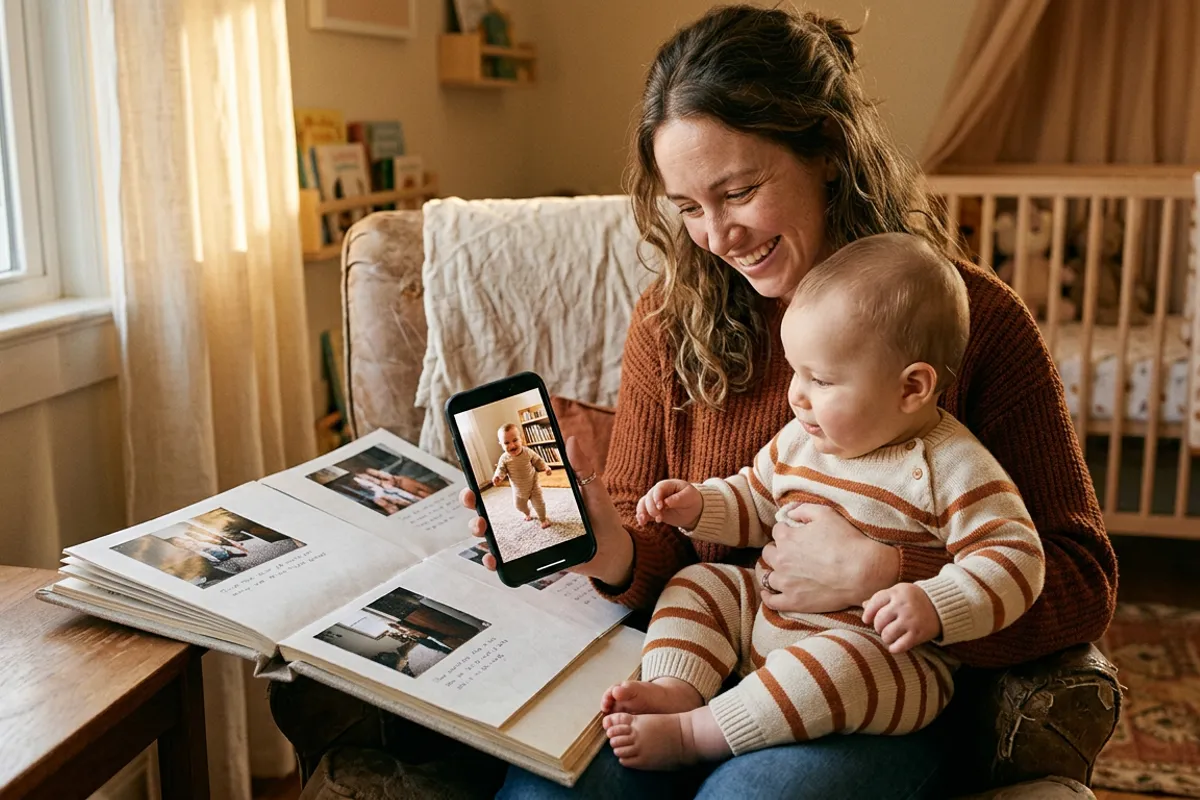
The first year of a child's life is the most photographed year — and the fastest forgotten. Parents shoot thousands of frames and clips, then lose them in a camera roll. A first-year album with living photos solves both problems at once: twelve printed monthly portraits, and each one plays that month's video when a phone is pointed at it. Month three plays the first laugh, month ten the first steps, month twelve the first words. For photographers, this album is also the strongest anchor there is for selling a year-long package.
Quick answer
A baby's first-year AR album is a printed album with one portrait per month, where each photo is paired with that month's video in Stories AR. Parents scan a QR code and point the camera at a page — the browser plays the video on top of the print, no app needed. Photographers sell it as the anchor of a 12-month package: monthly mini-shoots plus the living album delivered after the first birthday.
Key takeaways
- Each monthly page is a separate AR photo: month three plays the first laugh, month ten the first steps.
- The album turns one-off newborn clients into a 12-month subscription-style package.
- Parents' own phone videos can be used too — the photographer curates and pairs them in the dashboard.
- Videos can be added or replaced after printing, so the album can ship at month six and keep filling up.
Why the first-year album is the perfect living product
A first-year album is already structured as a timeline: one spread per month, one milestone per spread. That structure maps one-to-one onto how living photos work — one photo, one video, one moment.
The emotional logic is even stronger than in wedding albums. A wedding is one day that was filmed professionally from every angle. A baby's first year is 365 days of micro-moments — the first roll-over, the first "mama" — that happen once, without warning, and mostly get captured on a parent's phone. An album page that plays that exact clip preserves what a static print can only hint at.
And unlike screen-bound video, the album is an object: it sits on a shelf, gets pulled out at family gatherings, and will be handed to the child at eighteen. The videos travel with the object, not with an app — viewers scan a QR code and everything plays in Safari or Chrome.
How the album is built, month by month
The production recipe stays the same for all twelve pages:
- One hero portrait per month — shot by the photographer at a mini-session or, in between, selected from the parents' best frames.
- One 15–40 second video per month — the milestone clip: laughing, crawling, first steps, first words. Parent-shot phone video is fine; the photographer trims it in the built-in editor.
- First frame matching where possible — when the video starts from the printed frame, the page appears to wake up.
- One QR code for the whole album — printed on the first page or the cover, so parents scan once and then just turn pages, pointing the camera at each portrait.

Selling the year, not the session
Newborn photographers usually sell one session and hope the family returns. The living first-year album flips the offer: the product is the year, and sessions are its ingredients.
A year package built around the album typically includes a newborn session, three or four milestone mini-sessions (sitting, standing, first birthday cake smash), curation of parents' monthly videos, and the printed AR photo book delivered after the first birthday. Paid upfront or in monthly installments, it converts a one-off client into twelve months of predictable revenue and contact.
The anchor effect matters at the first meeting: instead of quoting an hourly rate against every other newborn photographer in town, you demo an album page coming alive. Expecting parents don't compare that to a session price — there is nothing to compare it with.
The mechanics: one album, twelve AR photos
In the Stories AR dashboard each monthly page is its own photo-video pair; batch upload handles a full album in one go, and each pair takes about two minutes to set up. On the PRO plan — $24/month billed yearly — you get 20 AR photos per month, so even two full first-year albums a month fit inside one subscription. The first AR photos are free, which covers your demo album.
A detail parents love: pages can go live before the album is complete. Print and deliver the album at month six as part of the package, and keep attaching new videos as months happen — the QR code and the printed pages never change. The album literally fills with life while standing on the family's shelf.
The same mechanism protects against imperfect choices: if parents later find a better clip of the first steps, you replace the video in the dashboard and the printed page plays the new one. No reprint, ever.
How to start offering it
Build one demo album before you sell anything — even a four-page version with a friend's or your own child's months works. Bring it to every newborn and family inquiry and let the parents scan.
Price the year package with the album as its centerpiece and your mini-sessions as the schedule. Keep a lighter option — album only, with parents' photos and videos — for families who can't commit to sessions; it still sells the living pages and often upgrades later.
If you want to feel the effect before printing, make one living photo of any baby picture and video pair — the whole flow from upload to working QR code takes about two minutes at pro.stories-ar.com.
Build your demo first-year album
Pair a baby photo with its video at pro.stories-ar.com — first AR photos are free, and one living page will sell the whole year package.
Start for freeFrequently asked questions
Do parents need an app to watch the album pages?+
No. They scan the QR code once and point the camera at any page — videos play right in the phone browser, Safari on iOS or Chrome on Android.
Can parents' phone videos be used, or only professional footage?+
Parent-shot videos work well — milestones rarely wait for a photographer. The photographer curates, trims and pairs them in the dashboard.
Can we deliver the album before the year is over?+
Yes. Print whenever you like and keep adding or replacing videos afterwards — the QR code and printed pages stay the same.
How long should each monthly video be?+
15–40 seconds per page works best: long enough for the milestone, short enough to load fast and loop nicely.